In Naples, paying for parking on the blue lines and parking lots is easy with the smartphone and the Pepg apps from Telepass and EasyPark!
It's possible pay for the parking of their cars on blue stripes and in all affiliated parking lots, also in Naples, using two convenient services via smartphone: Pyng of Telepass e EasyPark.
These are two services that can be activated free of charge that make parking much more practical, allowing the user to check its duration at any time and regardless of where you are.
Let's see how the two services work together.
pyng
How it works
Pyng is usable by all Telepass holders Family or Business register on the site and it can be used in all the affiliated car parks in Naples, which are located for example at the Capodichino airport, at the stations, but also in all the blue stripes.
Parking can be paid for using the app on your own smartphone and the stop can be easily verified by the traffic auxiliaries, which will check the car's license plate number directly on their PDAs. In any case, it is mandatory to leave your coupon exposed.
Using Pyng is very simple: it is enough download the app from your store Google Play o App Store, for free, and register your license plate number. After that, you will have to set the dwell time (which can be changed at any time). it is also possible enter a new license plate number that does not necessarily have to be associated with the Telepass and pay for parking for several cars at the same time.
The advantages
First of all, the payment of the parking will be made easily with the app or from mobile site. There are no additional costs on the activation of the service and not even on the cost of parking.
The payment is postponed, so only the actual parking time and the cost will be charged to your Telepass account. And if a freelancer or a company pays, the VAT can be recovered on the invoice. There is no need for advance payments, credit cards or top-ups.
The stop can also be extended or interrupted in advance at any time and it can be paid for several plates at the same time, even if these are not associated with the Telepass contract.
EasyPark
How it works
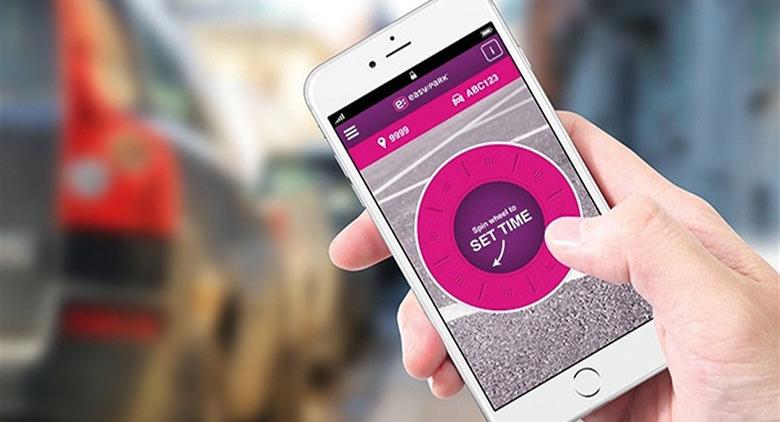
Also 'EasyPark app you can comfortably download from Google Play or on Apple store. When you log in, you just need to enter your mobile number and a password. To pay for the parking, you will have to enter the area code corresponding to the place where you are, available on the site, and select the plate. At this point, all that remains is to set the dwell time, which can be modified later, by prolonging or interrupting it.
With EasyPark you have a relative tale that you will have to top up and you can do it using the Visa or Mastercard cards, the Paypal account or sending a bank transfer.
Also in this case, the auxiliary traffic will verify the data through the handheld.
Finally, if you do not own a smartphone, you can call an automatically answered number (0899260100), after registering on the site, and follow the indications of the item.